
The Samsung HW-C43C/ZA is one of the best-value 2.1-channel soundbars you can buy right now on Amazon — usually under $140 with a wireless subwoofer included. More than 80% of owners on Costco and Sam’s Club give it 4–5 stars and rave about the sound quality for the price.
Yet a noticeable chunk of reviews say the same thing: “The sound is just… okay” or “Bass isn’t deep enough” or “I can’t hear dialogue clearly”. (See also a note on connectivity at the end of this article.)
The customer service team fields these complaints constantly, and their reply is always the same — “just tune the 7-band EQ in Standard mode”. To an already-annoyed owner, it can sound hopelessly tone-deaf (yes, pun intended), but the maddening part is… they’re actually right. Do it properly and a merely “okay” soundbar suddenly becomes one that genuinely impresses.
Here are the three questions almost every owner ends up asking — and the straight answers that help.
Related: Samsung HW-C43C/ZA: Best Budget 2.1 Soundbar with Optical Input
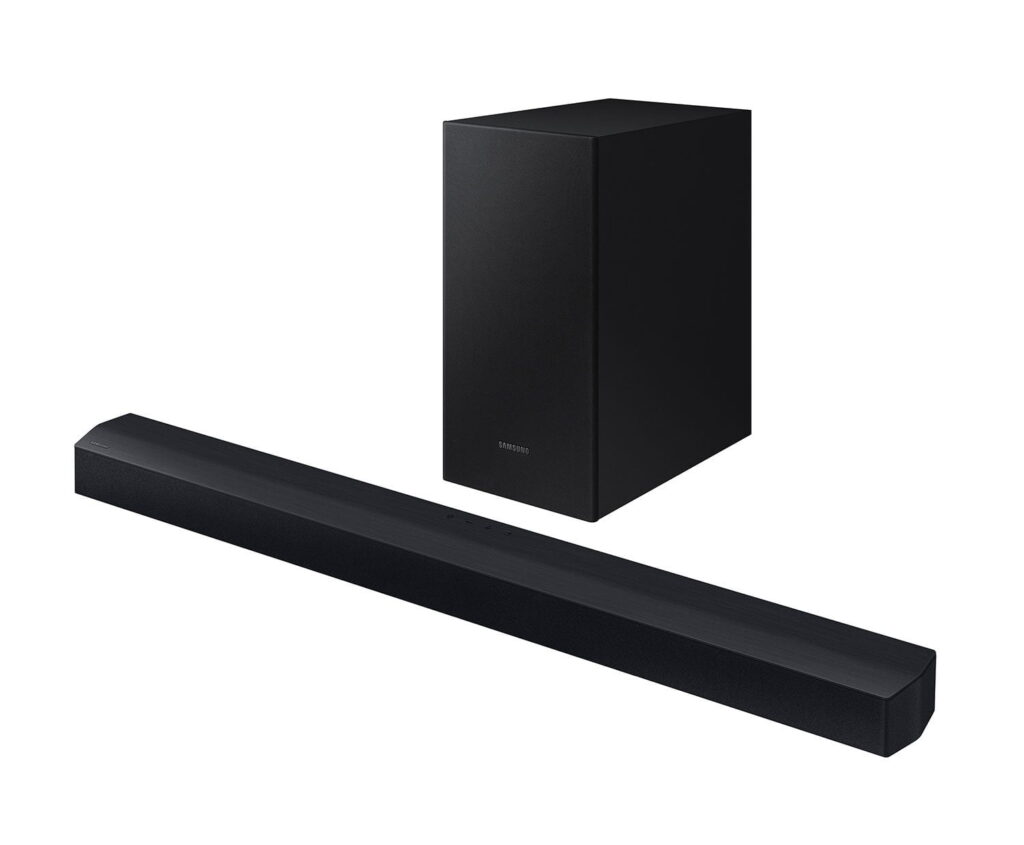
Table of Contents
- Why doesn’t my new HW-C43C sound as good as the reviews say it gets?
- How do I actually access and use the 7-band EQ on the HW-C43C?
- What are the best EQ settings for common problems?
- Final Tips
- Connectivity: Why You Might Need Two Remotes
Why doesn’t my new HW-C43C sound as good as the reviews say it gets?
Because no room is the same. Hard floors bounce bass, big windows kill it, corner placement makes everything boomy, and couch-against-the-wall setups swallow mids.
The factory settings are tuned in an anechoic chamber, not your living room. The good news? This budget soundbar gives you a proper 7-band equalizer. A few minutes of tweaking fixes 90% of complaints.
How do I actually access and use the 7-band EQ on the HW-C43C?
You can only adjust the custom EQ when the soundbar is in Standard mode. Switch to Surround, Game, or DTS Virtual:X and it ignores your settings and uses its baked-in profile.
To enter EQ mode with the remote:
- Set the soundbar to Standard (press the Sound Mode button until the display shows STANDARD or STD).
- Press and hold the SOUND CONTROL button for ~5 seconds until “150Hz” flashes.
- Use ← / → to move between the seven bands (150 Hz → 300 Hz → 600 Hz → 1.2 kHz → 2.5 kHz → 5 kHz → 10 kHz).
- Use ↑ / ↓ to adjust each band from –6 to +6 dB. When finished, just wait a few seconds or press SOUND CONTROL again — it saves automatically.
Only the 150 Hz band affects the subwoofer; everything else is handled by the soundbar drivers.
What are the best EQ settings for common problems?
Start every session with everything at 0 (flat). Make one change at a time and listen for 30–60 seconds. Small moves (±2 dB) are usually enough. This soundbar distorts if you slam everything to +6 like it’s 2005.
Muddy or boomy sound
Cut 150 Hz by –2 to –4 dB. That single move clears up most “boxy” complaints.
Dialogue is hard to hear
Boost 2.5 kHz by +2 to +4 dB and 5 kHz by +1 to +2 dB. Human speech lives right around 2–4 kHz. Lifting it makes voices jump forward without touching overall volume.
Bass feels weak or thin
Boost 150 Hz by +2 to +4 dB and use the dedicated WOOFER button on the remote to raise subwoofer level (most people leave it too low). Also double check subwoofer placement — same wall as the soundbar, on the floor, not hidden behind furniture.
Background effects drown out speech (common in action movies)
Cut 150 Hz and 300 Hz by –2 dB each, boost 1.2 kHz and 2.5 kHz by +2 dB. You’re carving a gentle “speech scoop” that keeps explosions punchy but lets dialogue stay intelligible.
Music listening (Spotify, Apple, Amazon etc.)
- 150 Hz +3
- 600 Hz –1
- 2.5 kHz +1
- 5 kHz +2
- 10 kHz +2
Classic gentle smile curve — warm lows, sparkly highs, slight dip in the nasal mids.
Sports, news, podcasts
- 150 Hz –3
- 300 Hz –2
- 1.2 kHz +2
- 2.5 kHz +3
- 5 kHz +1
- 10 kHz –1
Crowd noise and stadium echo drop away while commentators sound like they’re in the room with you.
Slight hearing loss or late-night viewing
- 150 Hz –4
- 300 Hz –4
- 600 Hz –2
- 1.2 kHz +2
- 2.5 kHz +4
- 5 kHz +2
Aggressively tames bass rumble and lifts the critical speech band, so you don’t have to crank the volume.
Final Tips
- Use optical cable from the TV, not Bluetooth, for movies. You’ll actually get Dolby Digital instead of compressed stereo.
- Run the subwoofer “crawl test” once: play a bass-heavy track, put the sub where it sounds strongest while you’re in your normal seat.
- Remember the golden rule of EQ: cut before you boost. Cutting a problem frequency almost never causes distortion; boosting everything to the max almost always does.
Enjoy the new sound.
This article contains Amazon affiliate links. If you purchase through them, we may earn a small commission at no extra cost to you — it helps keep the site running. Thanks for the support! Amazon and the Amazon logo are trademarks of Amazon.com, Inc. or its affiliates.
Connectivity: Why You Might Need Two Remotes
This soundbar uses Optical and Bluetooth connections only, as it lacks the modern HDMI-ARC port. Because of this, you may need to use both your TV remote and the soundbar remote for daily control. The core issue is the missing HDMI-CEC support — the standard feature that allows a TV remote to control any brand of soundbar seamlessly.
Can I use one remote?
- It is possible, but it depends entirely on your setup. Advised in the Samsung instruction manual: Samsung TV (2017 or later) or Samsung Smart TV with Bluetooth — the TV remote can control the soundbar’s volume via their proprietary feature, Auto Power Link, over the optical connection.
- Other Brands (or older Samsung): With some non-Samsung TVs, the optical connection only transmits audio. You will generally have to manage volume and power using the soundbar’s own remote.
Bottom Line: If single-remote convenience is a priority, we recommend choosing a soundbar that features an HDMI IN port such as the Samsung HW-B550F.